Is your business planning to upgrade its servers but unsure whether to keep physical equipment or move to the cloud?
For many Philippine businesses, servers support daily activities such as managing customer information, processing orders, and running important applications. Choosing the wrong setup can lead to unnecessary expenses, performance problems, or difficulty expanding operations.
When comparing a cloud server vs physical server, it’s important to understand how each works and what your business actually needs.
In this guide, we’ll explain their differences, compare costs and performance, and help you determine which option may suit your business.
What Is the Difference Between a Cloud Server and a Physical Server?
Both cloud servers and physical servers provide computing resources for business applications and data. However, they differ in how those resources are accessed, managed, and maintained.
What Is a Cloud Server?
A cloud server is a computing environment provided through cloud infrastructure. It usually operates as a virtual server, which means it uses part of the computing resources available on physical machines managed by a cloud provider.
Instead of purchasing server hardware, businesses can access computing resources through a service provider.
For example, a digital marketing agency may use a cloud server to run its project management applications, allowing team members to access shared systems, manage campaigns, and collaborate from different locations.
Cloud servers can also offer flexible resources, making it easier to increase computing capacity when needed, depending on the service configuration.
What Is a Physical Server?
A physical server is an actual computer designed to run applications, process data, and support business systems.
Businesses can install physical servers in their offices or use dedicated equipment hosted in a data center.
For example, a manufacturing company may use a physical server to manage software connected to machines inside its facility.
When a business owns its server, it is generally responsible for equipment maintenance, repairs, and upgrades.
The main difference: Cloud servers provide computing resources through a cloud service, while physical servers are dedicated hardware machines that businesses may own or rent.
Importantly, cloud servers still rely on physical equipment. The difference is how the infrastructure is delivered and managed.
Cloud Server vs Physical Server: 5 Key Differences
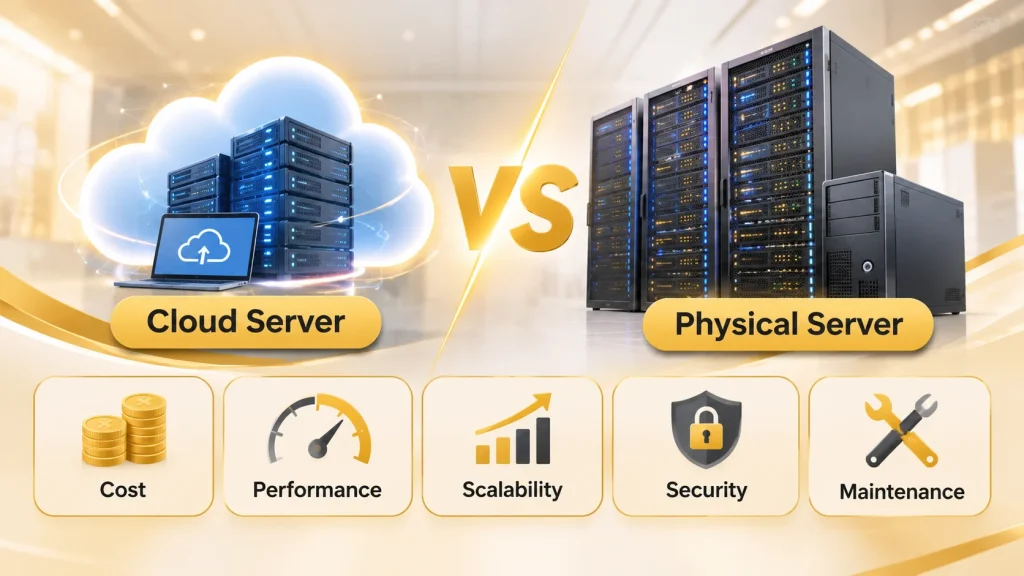
Before choosing an option, compare how each server type may affect your operating expenses and daily activities.
| Factor | Cloud Server | Physical Server |
| Cost | Ongoing service or usage charges | Hardware purchase or rental costs |
| Performance | Depends on allocated resources and configuration | Dedicated hardware resources |
| Scalability | Resources can often be adjusted | May require additional equipment |
| Security | Shared responsibilities with the provider | More direct hardware control when self-managed |
| Maintenance | Provider maintains underlying hardware | Owner or hosting provider maintains equipment |
1. Cost: Which Is More Affordable?
Physical servers can require a large initial investment. Businesses may need to pay for equipment, installation, electricity, cooling, and maintenance.
Cloud servers usually involve recurring payments rather than hardware purchases.
However, cloud costs can increase with storage, computing usage, data transfers, and additional services.
Our recommendation: Calculate your expected expenses over three to five years. This gives you a clearer picture of the total cost instead of focusing only on the initial price.
2. Performance: Which Can Handle Your Workload?
Both options can deliver reliable performance when properly configured.
Physical servers provide dedicated hardware resources, making them useful for applications with consistent or specialized processing needs.
Cloud servers allow businesses to select computing resources according to their applications.
For example, a growing online store may need additional capacity during major sales.
The better choice depends on your software, number of users, and required computing power.
3. Scalability: Which Can Support Business Growth?
As your company grows, your systems may need additional processing power, memory, or storage.
Expanding physical servers may involve purchasing and installing new components.
Cloud servers can offer more flexibility because resources can often be adjusted without buying equipment.
However, scaling options depend on the provider and selected cloud services. Not every setup expands automatically.
4. Security: How Is Your Data Protected?
Both cloud and physical servers require proper security measures.
With physical servers, businesses that own and manage the equipment have greater control over hardware and security settings.
In cloud environments, providers handle certain infrastructure responsibilities, while customers must still protect their applications, accounts, and information.
Regardless of your setup, access controls, software updates, security monitoring, and backups remain important.
5. Maintenance: Who Manages the Equipment?
Physical servers require regular inspections, equipment repairs, and hardware replacement planning.
Cloud providers maintain the underlying physical infrastructure, reducing the need for businesses to manage that equipment themselves.
However, cloud users may still be responsible for application updates, configuration, and monitoring.
At Top Cloud Solutions, our cloud optimization and ongoing support services help businesses manage their cloud environments according to their operational requirements. Businesses that need additional support with these responsibilities can also explore our guide to managed cloud services.
Which Type of Server Is Best for Your Business?
The best server is not necessarily the newest or most expensive. It should match how your business operates.
When Should You Choose a Physical Server?
Physical servers may be suitable for businesses that:
- Use specialized software connected to local equipment.
- Have stable workloads that rarely change.
- Already own suitable server hardware.
- Require direct control over specific equipment.
For example, a manufacturing company running a local production system may prefer physical servers for certain applications.
When Should You Consider a Cloud Server?
Cloud servers may be suitable for businesses that:
- Need flexible computing resources.
- Operate applications across multiple branches.
- Experience changing system demands.
- Want to avoid purchasing additional hardware for every expansion.
For example, a retailer expanding into new locations may consider cloud-based infrastructure to support applications used across its branches.
If your current physical servers are becoming difficult to maintain or expand, our guide to cloud migration services explains the steps and considerations involved in moving business systems to the cloud.
Can Businesses Use Both Server Types?
Yes. A hybrid setup combines physical infrastructure with cloud resources.
For example, a company may keep specialized software on its existing physical server while using cloud services for customer-facing applications.
This allows businesses to evaluate which workloads should remain on physical equipment and which may benefit from cloud adoption.
At Top Cloud Solutions, our cloud consulting and modernization services help organizations assess their existing systems and explore infrastructure options aligned with their business requirements.
What Should You Consider Before Choosing a Server?

Before investing in a new server or changing your existing setup, ask these questions:
- Business needs: What applications and daily operations must your server support?
- Budget: Can you manage hardware costs or ongoing cloud expenses?
- Performance: How much computing power do your applications require?
- Growth: Will your business need additional resources in the future?
- Security: What controls are needed to protect your information?
- Technical support: Who will maintain and troubleshoot your systems?
For cloud-dependent applications, consider internet reliability and what happens when your connection becomes unavailable.
We recommend reviewing these requirements before deciding whether to upgrade your physical equipment or explore cloud migration.
For a deeper understanding of cloud resources, networking, and infrastructure management, read our guide to cloud infrastructure solutions.
Explore Cloud Infrastructure with Top Cloud Solutions
Choosing between cloud and physical servers requires more than comparing technical specifications. Your infrastructure should support your business operations, budget, and long-term plans.
At Top Cloud Solutions, we help businesses assess their IT environments and explore suitable cloud technologies through strategic consulting, cloud modernization, migration, optimization, and ongoing support.
Our team works to understand your existing systems and business requirements before recommending possible improvements.
Whether you’re considering cloud migration or evaluating your current server setup, we can help you explore cloud infrastructure options that align with your operational needs.
Planning to modernize your server infrastructure? Contact Top Cloud Solutions to discuss your requirements and discover cloud options that fit your business.
 ] A huge thank you to everyone who joined our
